Discover the power of

Logo Bonshui

Welcome to the home of home-search innovation.

Explore the extraordinary features that define bonshui.

They’re going to revolutionise the way you carry out your next home search.

logo Remax
Logo Purple Bricks
Logo OnTheMarket
Logo Knight Frank
Logo Zoopla
Logo Opendoor
Logo  Zillow
Logo Rightmove
Logo Foxtons
logo Remax
Logo Purple Bricks
Logo OnTheMarket
Logo Knight Frank
Logo Zoopla
Logo Opendoor
Logo  Zillow
Logo Rightmove
Logo Foxtons

Packed with features you never knew you needed.
Until now…

Dive into a world where cutting-edge technology meets your need for the easiest-to-use-ever search app.

With bonshui, you’re getting a new standard for “works the way you do” property search awesomeness.

Icon Augmented Reality

Augmented Reality

Ever wondered how cool it would be to simply stand in the street and point your phone at a property, to discover everything about it?

Wonder no more — that day’s just arrived!

icon photo

Photo Upload

We’re all know our camera phones inside & out these days. But imagine taking a snapshot & uploading it, either live on-the-spot, or later.

That would really be a game-changer, right?

Rectangle
Icon google

Google Streetview

Sometimes, you’re not going to be close enough – or time-rich enough time — to check things out in person. Don’t worry though: we’ve got this!

Just let Google Streetview step in and help.

Icon search

Go Exploring

If you’re the inquisitive kind, then you’re going to want to roll your sleeves up and get stuck into every aspect of a new area.

So we’ve made exploring child’s play.

Rectangle
Icon smart AI

Smart AI Assistants

AI is all the rage these days. But if it’s not smart, it doesn’t help. When you’re looking for a new home, you need super-intelligent support.

Our AI agents do simple things, brilliantly!

icon search

Simple Search

Honestly? Every now & then basic’s best.
Unsure of an area, or trying to pick between a few before committing to a deep search?

Search them all & see what takes your fancy!
Bonshui’s  X-Ray… capability.

Think of it 
as our true
 super-power.

Dive into the heart of  bonshui’s secret sauce, and enjoy standout features you won’t find anywhere else.
From cutting edge AR & AI to bang-up-to-the-minute local area insights,  bonshui gives you everything you need to track down the home you always dreamed about.

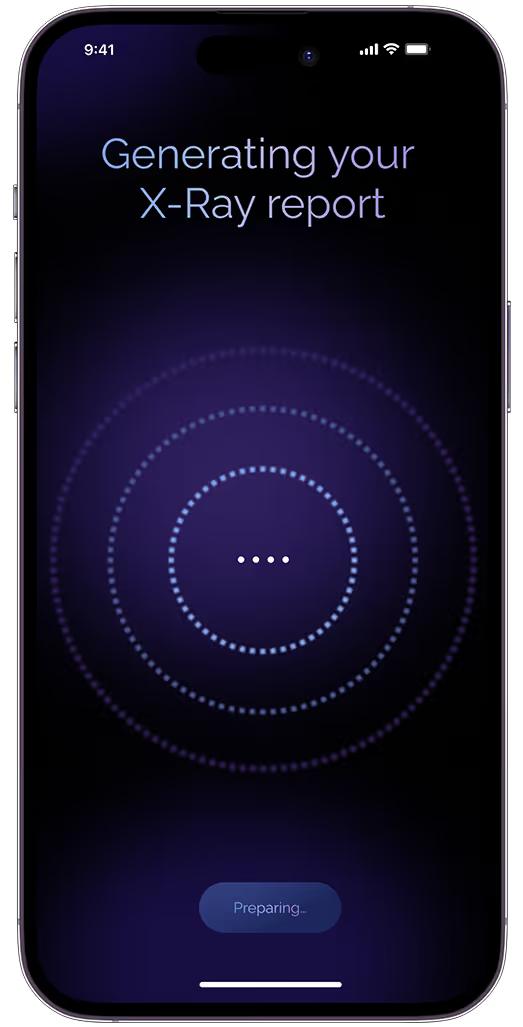
X-Ray Spinner

Found a property you want to know more about?

Whether you get to this point by using AR, AI, photo upload, Streetview or search tools,
X-Ray moves things up to a whole new level.

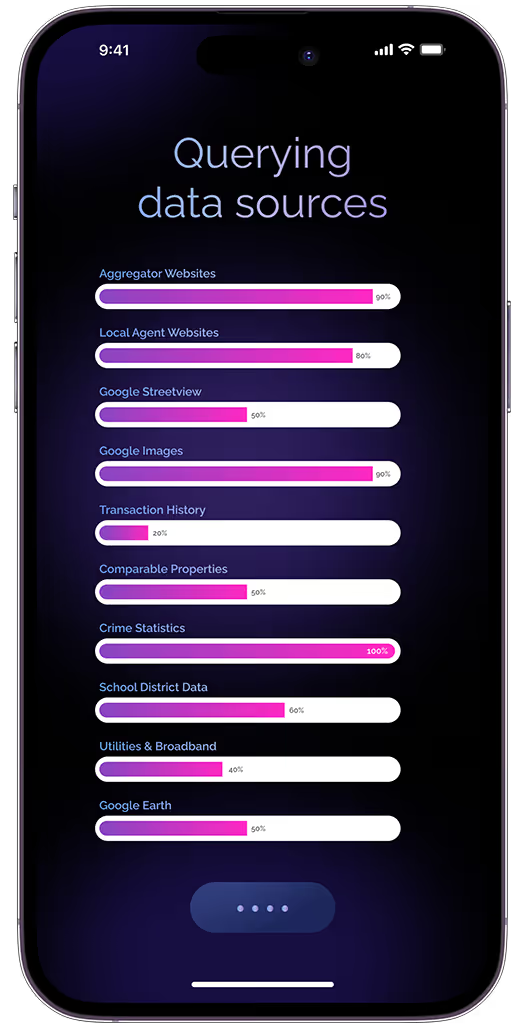
Querying Data Sources+Progress Bars

Our AI Agents do the heavy lifting. So you don’t have to.

Our system is built around teams of AI agents, each responsible for one of a dozen tightly-focused tasks. We’ve got this…

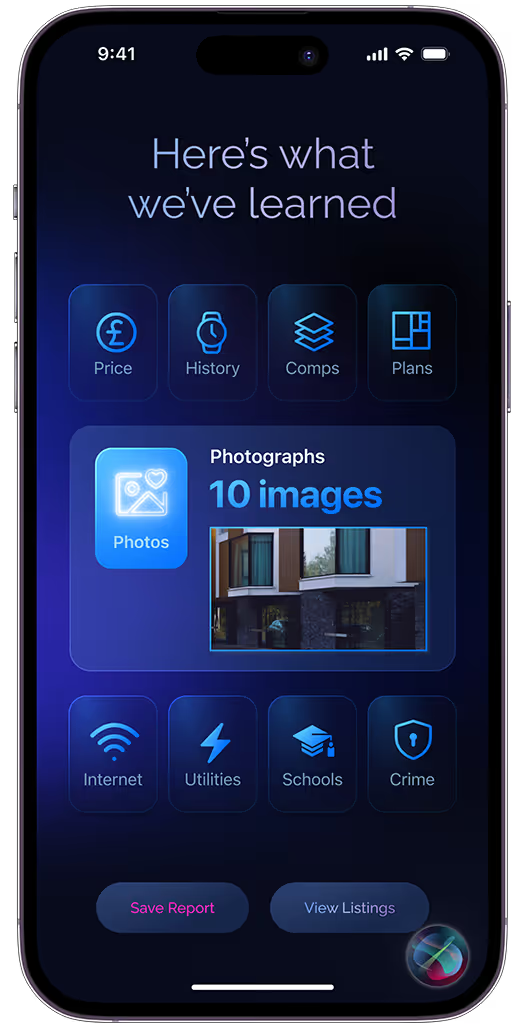
X-Ray Results Delivery

You get the insights you need. Live & immediate.

Great data is great, but it’s also less than useless if it doesn’t make sense. So we’ve built our X-Ray to present it 100% intuitively.

Use our Generative AI photo tools.

And set your imagination free.

Dive into the heart of  bonshui’s secret sauce, and enjoy standout features you won’t find anywhere else.
From cutting edge AR & AI to bang-up-to-the-minute local area insights,  bonshui gives you everything you need to track down the home you always dreamed about.

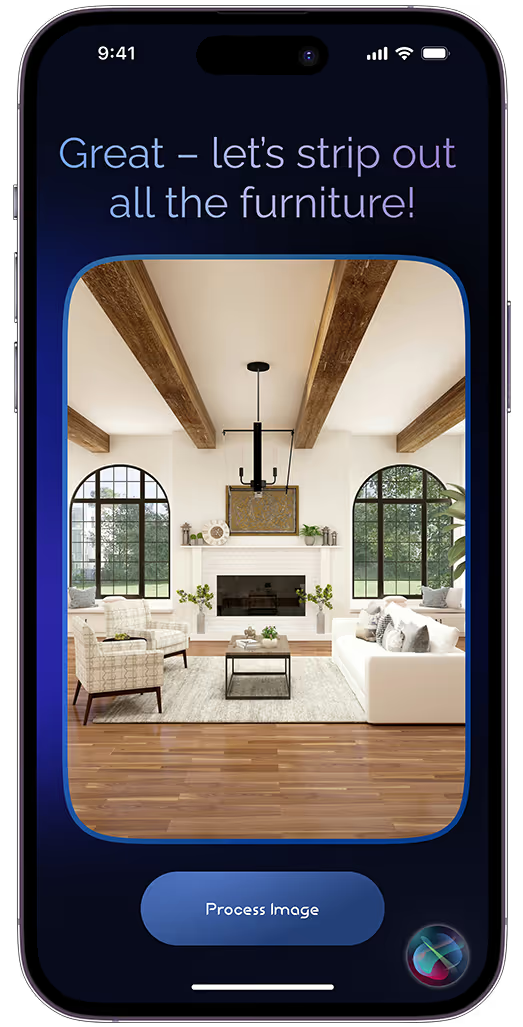
Select Source

Step #1
Start with the ‘today’ view.

Begin by choosing the source photograph that you would like to use as your starting point.In most cases, this will be one of the images that you can see in the listing, the living room for instance.

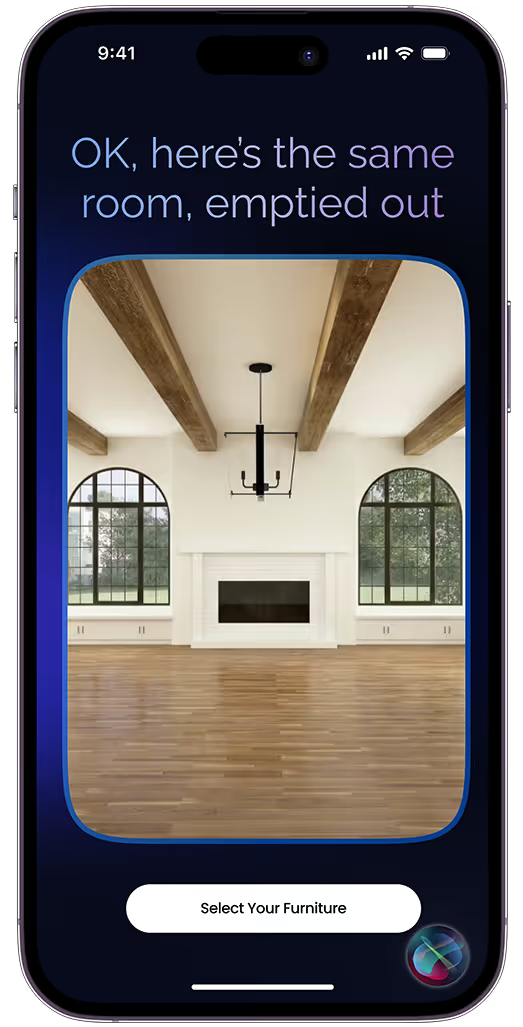
Source Result

Step #2
AI removes all the furniture in the source image.

Hit the “Simplify” button and our Generative AI systems go to work, removing all the furniture so you can see that room as if it was empty.

Select Target

Step #3
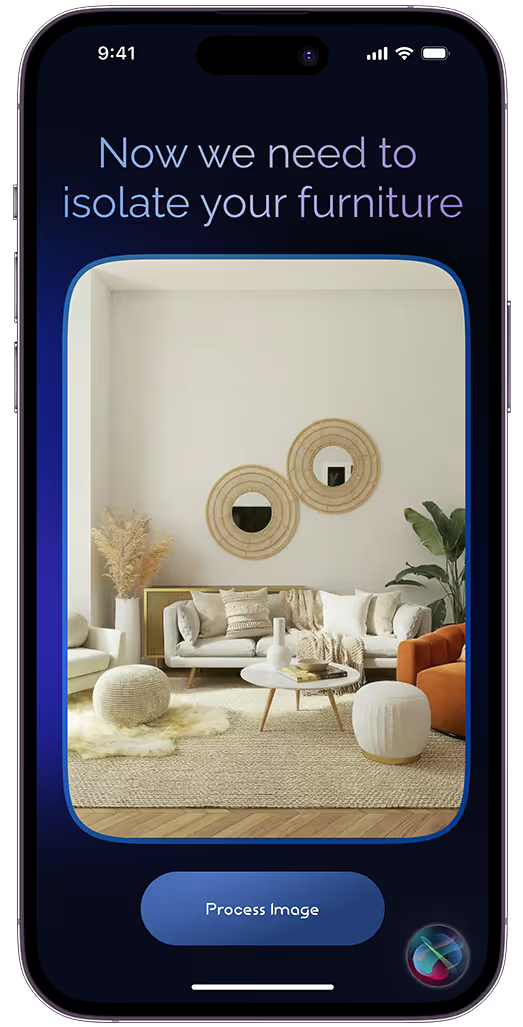
Upload a picture that shows your own furniture.

The next step is to find – or take – a photograph of the same room in your current house.

Pro Tip: to get the most realistic results, try to make sure that you’ve matched the perspective and elevation of the two shots as closely as possible.

Final Output - phone

Step #4
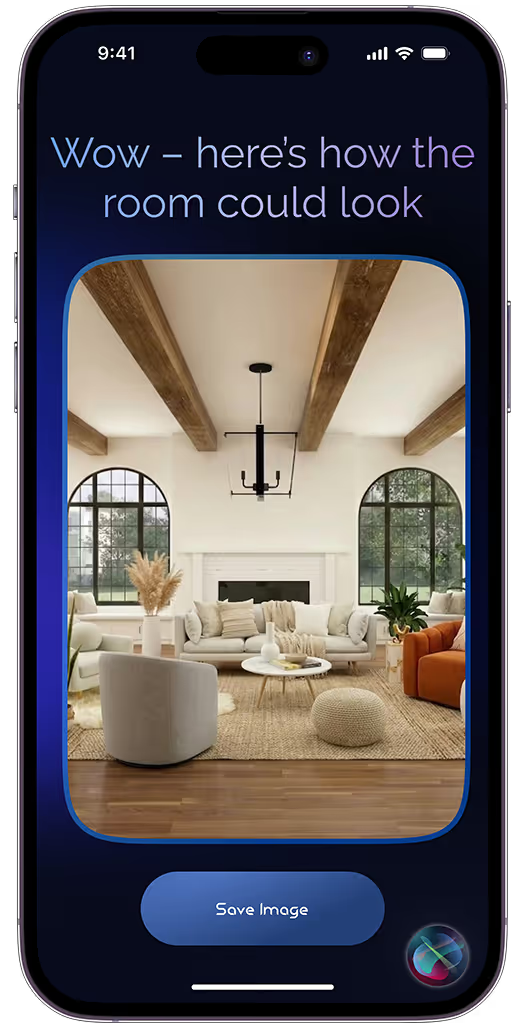
AI blends the images to offer an idea of the future.

It may not be as perfect as it might be in real life, but the image that our Generative AI engine produces should be pretty close.

They’ll certainly be accurate enough to give you a better idea of how things could look than the image you’ve had in your head!

MEET OUR X-RaY capability.

Think of it 
as our true
 super-power.

Dive into the secret sauce at the heart of  bonshui’s unique recipe, and you’ll be relishing stand-out features that you won’t enjoy anywhere else.

From cutting edge AR & AI to bang-up-to-the-minute local area insights,  bonshui gives you everything you need to track down the home you always dreamed about.

Found a property you want to know more about?

Whether you get to this point by using AR, AI, photo upload, Google’s Streetview or our browse & search tools, 
X-Ray moves things up to a whole new level.

Our AI Agents do the heavy lifting. So you don’t have to.

Our system is built around teams of AI agents, each responsible for one of a dozen tightly-focused tasks.

We’ve got this…

You get the insights you need. Live & immediate.

Great data is great, but it’s also less than useless if it doesn’t make sense.

So we’ve designed and built our X-Ray from the ground up,
to present the info you need 100% intuitively.

Apple iPhone 11 Pro Space Grey 1
X-Ray Generating SpinnerX-Ray Querying Data SourcesX-Ray User Interface
bg color

Get imaginative with Our Generative AI PHOTO hub.

Apple iPhone 11 Pro Space Grey 1
AI SelectAI SourceAI Isolate AI Final
bg color

And set your imagination free.

Dive into the heart of  bonshui’s secret sauce, and enjoy standout features you won’t find anywhere else.

From cutting edge AR & AI to bang-up-to-the-minute local area insights,  bonshui gives you everything you need to track down the home you always dreamed about.

Step #1
Start with the ‘today’ view.

Begin by choosing the source photograph that you would like to use as your starting point.

In most cases, this will be one of the images that you can see in the listing, the living room for instance.

Step #2
AI removes all the furniture in the source image.

Hit the “Process Image” button and our Generative AI systems go to work, removing all the furniture in the listing photo so you can see that room as if it was completely empty.

Step #3
Upload a picture that shows your own furniture.

The next step is to find – or take – a photograph of the same room in your current house.

Pro Tip: to get the most realistic results, try to make sure that you’ve matched the perspective and elevation of the two shots as closely as possible.

Step #4
AI blends the images to offer an idea of the future.

It may not be as perfect as it might be in real life, but the image that our Generative AI engine produces should be pretty close.

They’ll certainly be accurate enough to give you a better idea of how things could look than the image you’ve had in your head!